
Website feedback from any page, in one click
Click the FeedbackHive button on any web page, point at the problem and send it. Your report lands in your FeedbackHive project as a task, with the screenshot, the page URL and the browser details your developer needs.
Free. Works in Chrome, Edge, Brave, Vivaldi, Opera and Arc.
How it works
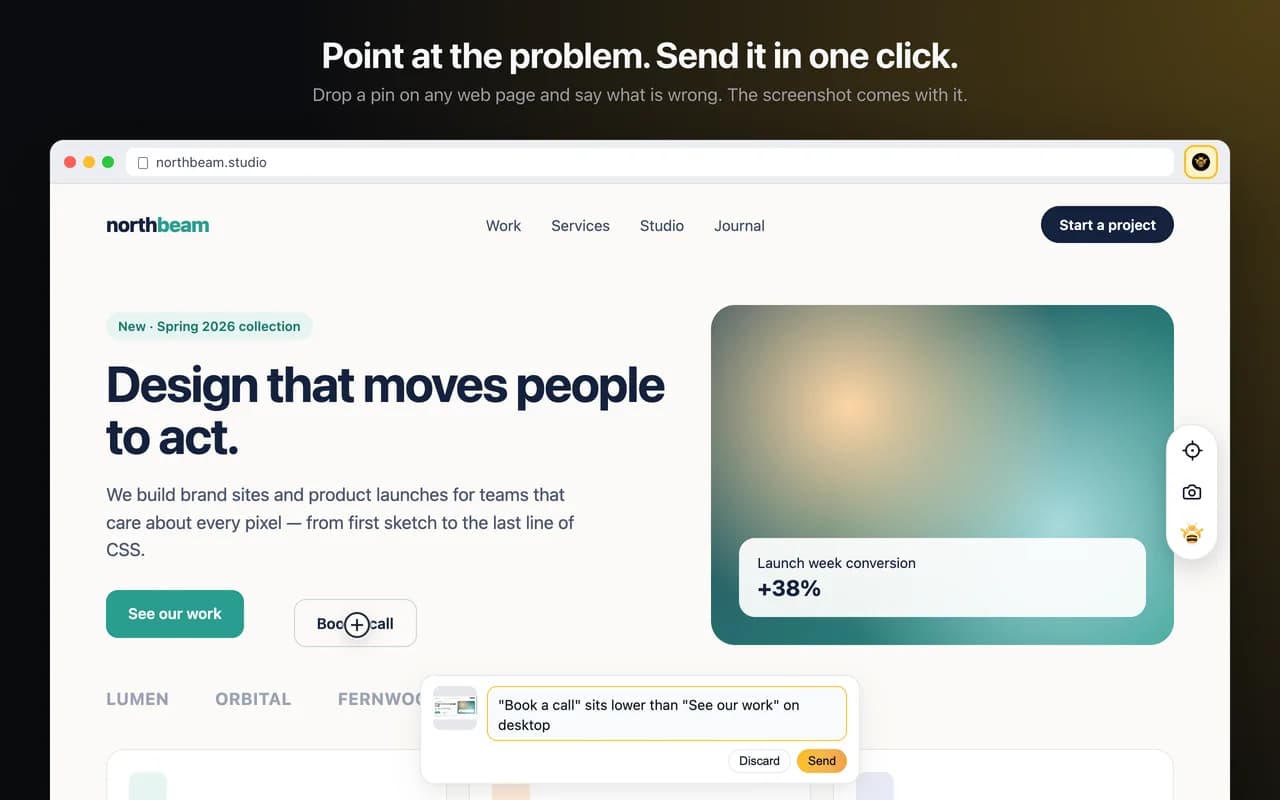
- Click the FeedbackHive button in your toolbar. The first time, sign in and pick the project this site's feedback goes to. The extension remembers it for the site.
- Drop a pin on the exact spot, or drag to highlight a whole region.
- Type a short title and, if you need one, a description.
- Click Send. A task appears in your project, ready to assign and fix.
Every report for the page, right there
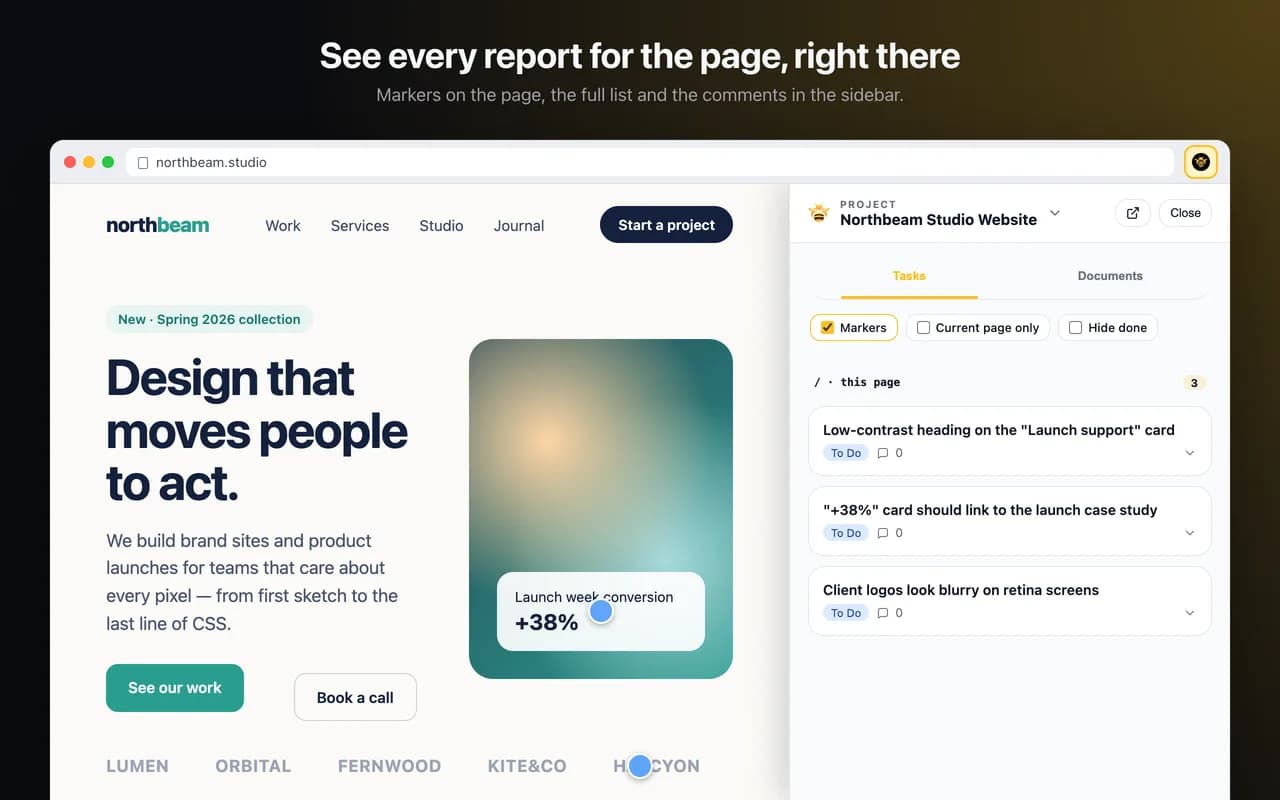
The panel lists the feedback already sent for the page you are on, so you can check what is known before reporting it again, and reply to a report without leaving the site.
Extension or website widget?
Both send feedback to the same projects. The website widget is a script you add to a site so clients and visitors can report issues without installing anything. The extension is for you and your team: it works on any site you open, including staging, localhost and sites you can't add a script to.
Privacy
The extension only runs when you click its button, and only talks to FeedbackHive. It doesn't read pages in the background, doesn't record your browsing history and contains no analytics or ads. Its access token stays in the extension's local storage until you disconnect. Details are in the privacy policy.
Frequently asked questions
- Is the extension free?
- Yes. The extension is free, and so is the FeedbackHive plan it connects to for one project. Paid plans add more projects, collaborators, storage and AI actions.
- Which browsers are supported?
- Google Chrome and Microsoft Edge, plus Chromium browsers that install from the Chrome Web Store, such as Brave, Vivaldi, Opera and Arc. Firefox and Safari are not supported yet.
- Do I need to install the FeedbackHive widget on the site?
- No. The extension works on any site you can open, including staging, localhost and sites you can't add a script to. The website widget is for collecting feedback from clients and visitors without asking them to install anything.
- What does the extension send to FeedbackHive?
- Only what you send on purpose: when you click Send, the screenshot of the visible page, your annotation, the text you typed, the page URL and title, and technical details such as the viewport size and browser. Nothing is sent in the background.
- Can it capture every page?
- It captures regular web pages. Browsers don't let extensions run on their own pages, such as chrome:// or edge:// pages and the extension stores.
- How do I sign out?
- Open the extension's settings and click Disconnect, or uninstall it. You can also revoke its access from your FeedbackHive settings, where it appears as a token named Browser extension.